Designed to feel calm.
Simple to use.
Take a look around Good Loop. Everything is built to be easy, smooth and stress-free.
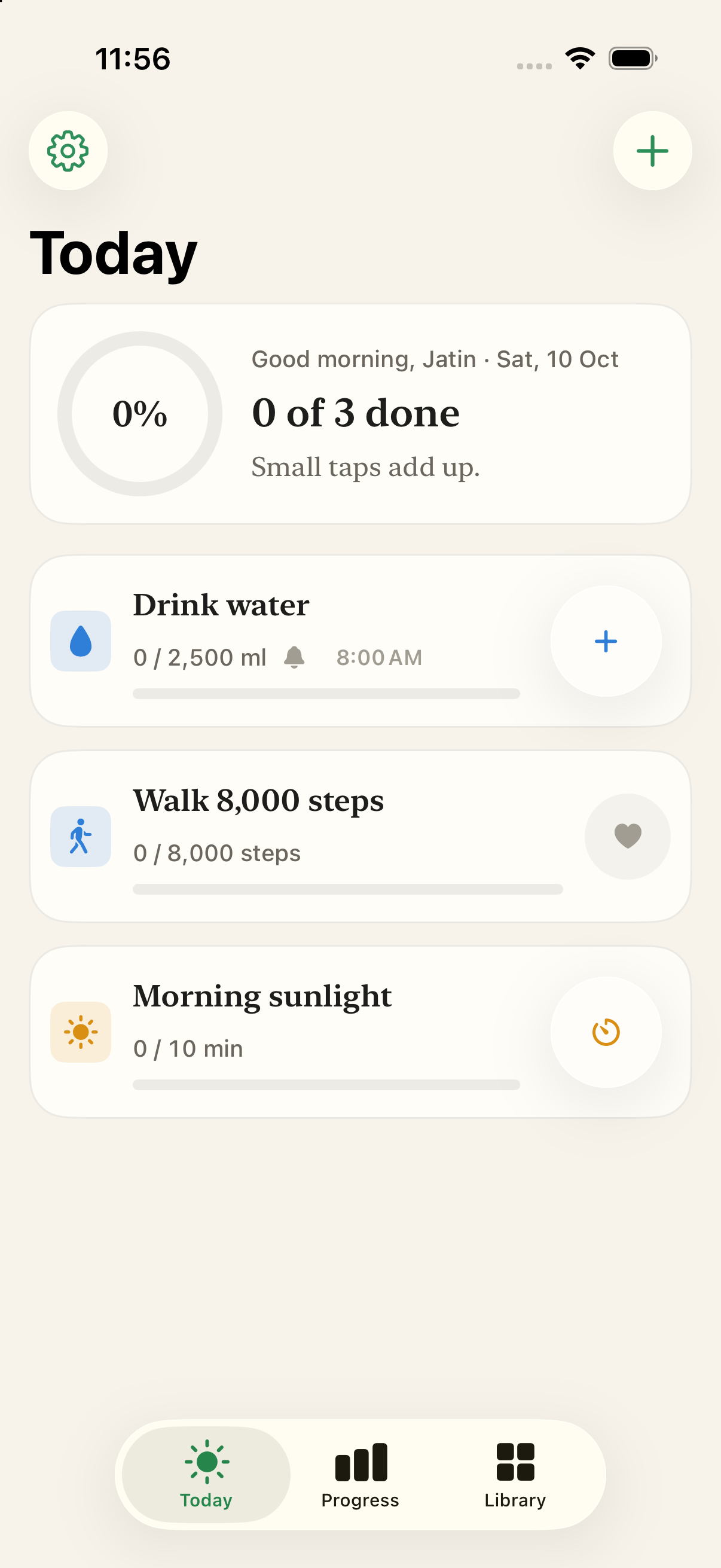
Your day, at a glance
A calm daily view where one tap checks off a habit. Gentle progress rings, with no guilt and no streak pressure.
Built for peace of mind.
Made with care.
Everything in Good Loop is designed to help you stay consistent without turning self-improvement into a stressful chore.
Progress, Not Pressure
Most habit trackers make you feel bad when life gets busy. Good Loop doesn't. Miss a few days and you get a friendly welcome back, with no guilt and no broken streaks.
Reminders That Never Nag
Set a daily reminder for each habit. They're quiet, they never spam you, and they're always free.
Connects to Apple Health
Walk 8,000 steps or sleep 8 hours without touching your phone. Connect Apple Health and Good Loop checks off your habits for you. No manual entry.
Timers You Can Glance At
Start a timer for your morning sunlight or reading time and check on it right from your Lock Screen. A gentle buzz lets you know when you're done.
Your health data never leaves your iPhone.
Many apps send your personal wellness info to their servers. Good Loop doesn't. Everything is saved on your phone, and only you can see it.
Connect Apple Health. No manual entry.
Your steps, walking distance and sleep are filled in for you, so your habits tick off on their own. We only look at them after you say yes.
No tracking. No sharing.
No ads, no trackers, no one watching what you do. On the App Store, our privacy label says: Data Not Collected.
Saved only on your iPhone
Your habits stay on your phone, and your Home Screen widgets show them too. Delete the app and everything is gone.
Data Not Collected
We don't collect any data from this app. Good Loop was built to work privately on your phone, even without internet.
Stays on your phone
Protected on your deviceApple Health only
No other apps involvedNo account needed
No sign-up, no passwordYours to keep
Export or delete anytimeInsights that enlighten,
never overwhelm.
Simple weekly charts and a short note every Monday that celebrates where you did well and helps you keep going.
Monday Insights
Reflections delivered every Monday morning“You stayed consistent with Morning Sunlight for 5 of 7 days and crushed 58,200 total steps. A steady, calm start to the new week.”
Monday Insights turns your week into a short, friendly note. It never shows up as an annoying alert.
Frequently Asked Questions
Quick answers about your privacy, Apple Health and how the app works.